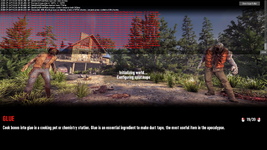
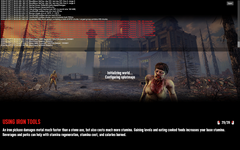
Invalid region file name: C:\Users\markr\AppData\Roaming\7DaysToDie\Saves\Navezgane\PrefabEditor\Region\error_backup_-11_61.comp.bak
Invalid region file name: C:\Users\markr\AppData\Roaming\7DaysToDie\Saves\Navezgane\PrefabEditor\Region\error_backup_-11_61.uncomp.bak
Invalid region file name: C:\Users\markr\AppData\Roaming\7DaysToDie\Saves\Navezgane\PrefabEditor\Region\error_backup_11_45.comp.bak
Invalid region file name: C:\Users\markr\AppData\Roaming\7DaysToDie\Saves\Navezgane\PrefabEditor\Region\error_backup_11_45.uncomp.bak
Invalid region file name: C:\Users\markr\AppData\Roaming\7DaysToDie\Saves\Navezgane\PrefabEditor\Region\error_backup_13_42.comp.bak
Invalid region file name: C:\Users\markr\AppData\Roaming\7DaysToDie\Saves\Navezgane\PrefabEditor\Region\error_backup_13_42.uncomp.bak
Invalid region file name: C:\Users\markr\AppData\Roaming\7DaysToDie\Saves\Navezgane\PrefabEditor\Region\error_backup_15_42.comp.bak
Invalid region file name: C:\Users\markr\AppData\Roaming\7DaysToDie\Saves\Navezgane\PrefabEditor\Region\error_backup_15_42.uncomp.bak
Invalid region file name: C:\Users\markr\AppData\Roaming\7DaysToDie\Saves\Navezgane\PrefabEditor\Region\error_backup_16_38.comp.bak
Invalid region file name: C:\Users\markr\AppData\Roaming\7DaysToDie\Saves\Navezgane\PrefabEditor\Region\error_backup_16_38.uncomp.bak
Invalid region file name: C:\Users\markr\AppData\Roaming\7DaysToDie\Saves\Navezgane\PrefabEditor\Region\error_backup_17_42.comp.bak
Invalid region file name: C:\Users\markr\AppData\Roaming\7DaysToDie\Saves\Navezgane\PrefabEditor\Region\error_backup_17_42.uncomp.bak
Invalid region file name: C:\Users\markr\AppData\Roaming\7DaysToDie\Saves\Navezgane\PrefabEditor\Region\error_backup_6_46.comp.bak
Invalid region file name: C:\Users\markr\AppData\Roaming\7DaysToDie\Saves\Navezgane\PrefabEditor\Region\error_backup_6_46.uncomp.bak
Invalid region file name: C:\Users\markr\AppData\Roaming\7DaysToDie\Saves\Navezgane\PrefabEditor\Region\error_backup_99_48.comp.bak
Invalid region file name: C:\Users\markr\AppData\Roaming\7DaysToDie\Saves\Navezgane\PrefabEditor\Region\error_backup_99_48.uncomp.bak
Exception: Incorrect region file header! C:\Users\markr\AppData\Roaming\7DaysToDie\Saves\Navezgane\PrefabEditor\Region/r.0.1.7rg
  at RegionFileSectorBased.Get (System.String dir, System.Int32 rX, System.Int32 rZ, System.String ext) [0x00061] in <5337cd8e13bc47c98028d0c180beab3e>:0
  at RegionFileAccessSectorBased.OpenRegionFile (System.String _dir, System.Int32 _regionX, System.Int32 _regionZ, System.String _ext) [0x00000] in <5337cd8e13bc47c98028d0c180beab3e>:0
  at RegionFileAccessMultipleChunks.GetRFC (System.Int32 _regionX, System.Int32 _regionZ, System.String _dir, System.String _ext) [0x00067] in <5337cd8e13bc47c98028d0c180beab3e>:0
  at RegionFileAccessMultipleChunks.ReadDirectory (System.String _dir, System.Action`3[T1,T2,T3] _chunkAndTimeStampHandler, System.Int32 chunksPerRegionPerDimension) [0x000a5] in <5337cd8e13bc47c98028d0c180beab3e>:0
  at RegionFileAccessSectorBased.ReadDirectory (System.String _dir, System.Action`3[T1,T2,T3] _chunkAndTimeStampHandler) [0x00000] in <5337cd8e13bc47c98028d0c180beab3e>:0
  at RegionFileManager..ctor (System.String _loadDirectory, System.String _saveDirectory, System.Int32 _maxChunksInCache, System.Boolean _bSaveOnChunkDrop) [0x001ee] in <5337cd8e13bc47c98028d0c180beab3e>:0
  at ChunkProviderGenerateWorldFromRaw+<Init>d__17.MoveNext () [0x008ee] in <5337cd8e13bc47c98028d0c180beab3e>:0
  at UnityEngine.SetupCoroutine.InvokeMoveNext (System.Collections.IEnumerator enumerator, System.IntPtr r
[QUOTE="Riamus, post: 644955, member: 106225"]
You have a broken region file.  Normally you should use the region reset command to fix region problems (rr help in the console to see how to use it), but that probably won't work if you can't fully open the save.  So you'll have to go to your saves folder for that map and find your region files.  Most likely, at least one of them has a file size of 0.  Delete it and start your save.  However, be aware that whatever region(s) are deleted in this way will revert to their original state from the beginning of the game... if there are bases or anything else built in that region, it'll all be gone.  If you are lucky, it won't be where your base is.  If it is, you can either start your base and storage over or else start a new save.  The game makes backups, but if you load the save again after it's broken, the backup will also have the same broken save, so at this point, you've already loaded it again and your backup won't help.

In the future, be aware that errors in the console can be a serious issue.  Don't just load the game again... make sure you have your own backup of the save first that will hopefully not be broken.  Regular backups of your saves can also save you from losing an entire save.  But that doesn't help you now.
[/QUOTE]
I need help for a similar issue.  My files look like this... how do I fix this? Thank you!
[/QUOTE]