• Mods are now organized as resources. Use the Mods link above to browse for or submit a mod, tool, or prefab.

    The TFP Official Modding Forum Policy establishes the rules and guidelines for mod creators and mod users.

XPath Error Checking

Ever wonder what's wrong with your xpath? Why it just doesn't work right? Curious what your "new" xml's look like after an edit?

  1. F1 to bring up the console.
  2. exportcurrentconfigs to export the configs.
  3. appdata/7DaystoDie/Saves/<worldname>/<savegamename>/Configs is where they export to


...this way, you can check out what the xpath changes are ACTUALLY doing to the xml's.
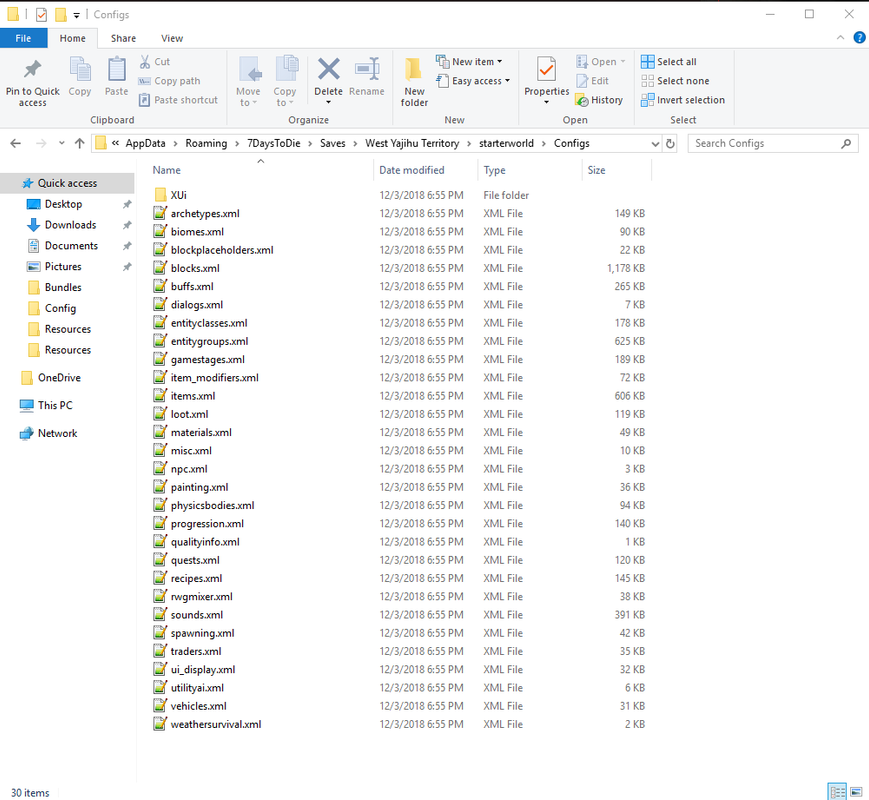
exportconfigs.png


Guppy / RE: Both are very helpful. THank you very much.

As a 7D2D noob modder, this really would be awesome in the tutorial section. (As Guppy suggested.)

Thanks

 
If you are on OS X then I highly recommend pathology. It’s on the App Store and only a few bucks. You can check your xpath against the vanilla config files very quickly to see what it’s matching.

 
Back
Top