Suggestions Regarding the Map

Really? I would have said it was specified in rwgmixer.xml ...
Have not used Rwgmixer going on 7 years. Manually setting my maps gives
me full autonomy of the layout that I like, and include bodies of water but no
holes in the terrain.
This was my first remedy when this became an issue, but i found it not reliable in every instance, widening the area and clearing the save cache didnt help either.
That's why I said kinda worked. The tiny maps I would need at least 50 pois per
5 tier division to make sure it would allow, quest continuity, and completion.
So I stuck with 10k, so I could try pretty much any Ideas I had, and average 2500 more
pois to work with, and still have plenty of open terrain to wander and explore.
My map is not flat, so on the other side of each ridge and peak is a different world.
For 6k and above its not hard to covert maps to suit player taste. Post A20 introduction of tiles makes moving biomes around much less of an issue due to increased use of adaptive blocks. What I generally do, (which I also don't think most players would or will do), is to just alphabetize the prefabs.xml and open in notepad++, this will group your traders together, with World Editor, just swap those to your new biome layout. Then check your spawnpoints, i generally nerf what I'm given and make a few close to the nearest Rekt near a forest.
What you are doing here, is parallel to what I do. I manually went through the
poi folder the last time, looking at the PNGs and then setting them to render
groupings in the poi list.

Tiles: I would work with, but there are a few inconsistencies that make the way I do it
more appealing to me.
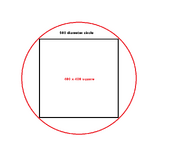
1 The terrain brush used unless it has been changed is round, while the lot that the poi is on
is a quad.
2 The lot sizes, and tiles, and chunks, and regions, are not divisions or multiples of each other
3 The adaptive blocks were lessened in their use, i checked with Faatal regarding that.
4 The tiles became too uniform, and by player request too tightly packed.
So I went the opposite way, and using the old rules, my pois, follow terrain, flow differently,
lowers the chunk load and region loads for me = higher fps more entities less stutter in cities.
I never needed the citybuilder uniform type format, mine are set up more for Like style groupings,
and targets of opportunity.
5 Stamps: Way too limited in variety for me, 2 rivers that are the same river just that one is reversed
horizontally. My water uses the water displacement table from before, so all I have to do is paint
gradients below a certain level and the auto fill. Biomes, I have a photoshop template, that has
5 main biomes, 20 bi level blended biomes, and 1 that I use for greater than 2 biome mashup.
So like you said many and most player have not or will not go to that extent, for me if I truly want
something, I will do the extra work, gladly.

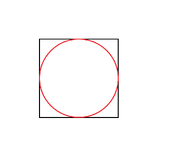
Here is an example of what I mean with tiles vs the default terrain .
/sq into round 1.png/sq into round 2.png
 
Last edited:
@Krunch
I will dm you a link, you can evaluate it for yourself and it will
give you a visual of what I see.

If I made a few simple requests do you think he might update it and add
the things? If not its ok. I have used only Nitrogen and and painted grayscale maps
for the past 7 years. I did adapt a few adjustments using Teragon for erosion, but
play with different combos in grayscale, and get references from GWTerranoise.
Libnoise terrain gen was the most consistent for me.
 
Last edited:
2026-04-04_16h50_55.png

What you are doing here, is parallel to what I do. I manually went through the
poi folder the last time, looking at the PNGs and then setting them to render
groupings in the poi list.

Tiles: I would work with, but there are a few inconsistencies that make the way I do it
more appealing to me.

I would like to give you what I have for KingGen as well. KingSlayer coded the whole thing, but I was the sole tester and dev outside of that. We did a two tier masking system. It gives very granular control over the custom zone tags we use in conjunction with the original vanilla rwg tags, still works exceptionally well once you know our tag tiers.

I would advise against using the height maps it creates in general map creation mode, I feel like he played with the math too much on the smoothing and it results in POIs sitting slightly too high or slightly too low and its more trouble that its worth to try and correct.

The exception to that rule though is that with a fixed heightmap set to no smoothing, you get back height maps that work well with the vanilla in game texture smoothing.
 
I would like to give you what I have for KingGen as well.
Thank you.
I posted the link
I don't remember, but can you import you own grayscale into King gen?
Through trial and error, alot of trial and error, I learned how to have pois,
and poi clusters in dormant volcanoes, Near water levels cities surrounded by
peaks, Island pois, Landbridges, crevice natural jump ramps. One I really like
doing since they added the storm particles, is Crevices with peaks sticking out
but a different biome. There is one, template that has a city on an elevated
plateau, with a single twisting road leading to it, and all around is spikes, with
the new storm particles, it should be kinda twisted.

It came from a warcraft inspired map, that I made for someone on the forum a long time back.
They wanted a PVP map, with two clan separation, a dead zone abattle zone,
and a safe zone.
 
Last edited:
Thank you.
I posted the link
I don't remember, but can you import you own grayscale into King gen?
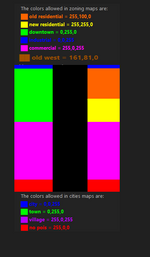
Yes and then you can add 2 separate masks, one that chooses town, country or city etc, then another that lets you choose the types of POIs within those sets, we also built in a conversion tool that still works, you just configure the POIs there with our zones and you can make just about anything. The one thing we never got KG to do was roads to deep wilderness, those only have roads that connect the clusters of wilderness POIs, Nitro was the first to and only before Teragon to do that.2020-04-11_17h46_27.jpg
 
Last edited:
The other thing is in King Gen, the road gradients, were a bit steep in places.
Only once did I use all three, to make a map. Using the best of each, but that
is a lot of extra manipulation.
One of the things I wished that nitrogen had was exact color.
When doing a grayscale, I had to do math trial and error changes to figure the elevation
changes. I also did a test map with flat elevation discs to see the preferential render heights
and height limits. That is how I got the distribution quantity for my map.


What version of King Gen is the one you referenced, I would like to test it?
 
The other thing is in King Gen, the road gradients, were a bit steep in places.
Only once did I use all three, to make a map. Using the best of each, but that
is a lot of extra manipulation.
One of the things I wished that nitrogen had was exact color.
When doing a grayscale, I had to do math trial and error changes to figure the elevation
changes. I also did a test map with flat elevation discs to see the preferential render heights
and height limits. That is how I got the distribution quantity for my map.


What version of King Gen is the one you referenced, I would like to test it?
V0.13.1
Vanilla 19.6
 
Last edited:
@Krunch

Thank you. I will start digging in soon.
The usage part, I remembered. The output folder is like in Nitrogen.
The only difference is I put mine in my worlds folder under 7 days to die\data\worlds
but not in the default directory structure.
I have a tendency of moving and archiving my userdata, often.

I wish some of these options could be added to Nitrogen. I will measure the grayscale
output difference. If it is closer, then it will help me with something I tried before.
Still, thank you i love tools.
 
Whatever it takes or back to how it was. How it was doesn't prevent the crossroads you speak of. Point is: traders are always sitting off by themselves a short distance away now whereas there was a mixture of placement adjacent to a town or city; a short distance away; and further away.
There's too much for me to catch everything and maybe this was commented on already, but there was only one version that didn't have traders only on gateway tiles. Not an entire alpha, but a specific version of an alpha, such as A21.4 or something (I don't remember which one). That single version, whatever it was, allowed traders to spawn throughout a town rather than only on gateway tiles. They removed that in the next version, though I never saw an explanation given. I thought having them in the middle of towns was better than only on gateway tiles because you had to try to find them instead of knowing exactly where they were. But maybe people didn't like having to search for them.

If you are willing to do some editing of files, it is easy to get traders to appear inside the towns instead of only on gateway tiles. You can either duplicate the traders' XML files so you have both the originals and the new ones spawning, or just edit the originals, though keep in mind that game updates or verifying files will overwrite any changes you make to the originals, but that won't break any maps you make before they get overwritten. What you'd need to do is go into the game's POI folder -- find where the game's EXE is located (you can right click on the game in Steam and choose Manage > Browse Local Files to find it). Then open Data > Prefabs > POIs. Go down to the files that start with "trader". You will have one for each trader. You can either copy all of the trader files (not just XML) and put the copies into your LocalPrefabs folder or if you're going to edit the originals, you can skip that step. Open the XML file for one of the traders such as trader_bob.xml (either the copied version or the original, depending which way you're doing it) and search for:

<property name="Tags" value="gateway, nocheckpoint" />

You will need to add the district(s) you want the trader to be able to appear in. Note that some districts may not have the 60x60 spaces available for traders to appear. Add them like this:

<property name="Tags" value="rural, downtown, industrial, gateway, nocheckpoint" />

Those are just a few of the districts. Just add any you want like that and generate a new map. You will see traders appear in places inside those districts and not only on gateway tiles. Repeat for each trader.


As far as the other stuff, yeah... RWG has made it so that towns are restricted in size per biome and traders are only in specific biomes and stuff. A lot of that can be changed in rwgmixer, though. Or, if you want, Teragon doesn't use those restrictions unless you choose to use them.
 
It came from some of the tests I started doing a while back. I didn't want
the traders to be in abc order.

So I started testing different changes. It first happened when I made my blended
biome patterns. So I played around with the traders, pois. I changed the biome
for their lot to their associated, biome. Then rendered a map with Nitrogen.

My initial Rekt ended up in the desert and Jen was in the snow. They still sent me
to their respective biome for quests, but I had to go through other biomes to
get there. Also through painting my biomes, I already have a layout for the map size,
just for difference I will sometimes rotate it, after generating a map, and end up with
traders out of place but functional.

almost forgot, I had to change the min max distance for quest search.
You might want to do some more tests with that. I use Teragon and don't restrict traders to specific biomes the way RWG does. If I have Jen in the forest, she'll give me quests in the forest and not make me travel to the burnt forest. The traders aren't really tied to specific biomes beyond just having RWG place them there. The open trade route quests are also not tied to specific biomes, but just specific traders, so if you have Jen in the desert and you complete tier 1 quests, the open trade routes will take you to Jen in the desert rather than a trader in the burnt forest since Jen is your next trader after Rekt (assuming it doesn't take you to another Jen somewhere else since it is just picking one of the Jens).

As a side note, if you place burnt forest under Jen on the map, then she might send you to the burnt forest. I'm not positive if traders send you only to their own biome for low level quests, though I don't think that's the case. But if you just have them in the biome they are in, it should work fine.
 
@Krunch

Thank you. I will start digging in soon.
The usage part, I remembered. The output folder is like in Nitrogen.
The only difference is I put mine in my worlds folder under 7 days to die\data\worlds
but not in the default directory structure.
I have a tendency of moving and archiving my userdata, often.

I wish some of these options could be added to Nitrogen. I will measure the grayscale
output difference. If it is closer, then it will help me with something I tried before.
Still, thank you i love tools.
I will dig through my backup drives, I made massive set of lakes for Nitrogen, including the lake/river system where I live, its all protected wetlands and drinking water springs.

Before the tile system, there was a period from like late a18 to the end of a19 where i used Nitro in conjunction with KG. First place you want to look in KG is the basic toolset on the advanced options page. Theres also a system of placing water at several heights, but that feature itself was 100% KingSlayer's creation, and it came at the time before the standard use of splat4 vs starting with a waterinfo.xml and then letting the game just convert that.

For the style you are using in the map you showed me earlier, the new standardized POI sizes work really perfectly. You are however, really at the mercy of the given road-system at the time you generate the map. I can show you how to improve those post map generation, and also how to terraform other empty or otherwise un-useful terrain spaces on a busy map like this one without disturbing the POIs and also swapping and improving them pretty easily as the sizes and scales are all uniform.

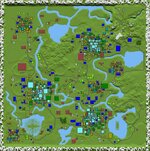
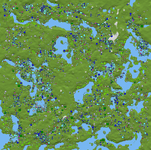
Found it. Added a picture of what I considered the 'peak' (for me anyway lol) for the pre tile style maps. Height map made in Nitro with custom stamps, imported into KG to do the POIs and roads.


2026-04-05_00h35_59.png

2026-04-04_17h03_23.png
 
Last edited:
I will dig through my backup drives, I made massive set of lakes for Nitrogen, including the lake/river system where I live, its all protected wetlands and drinking water springs.

Before the tile system, there was a period from like late a18 to the end of a19 where i used Nitro in conjunction with KG. First place you want to look in KG is the basic toolset on the advanced options page. Theres also a system of placing water at several heights, but that feature itself was 100% KingSlayer's creation, and it came at the time before the standard use of splat4 vs starting with a waterinfo.xml and then letting the game just convert that.

For the style you are using in the map you showed me earlier, the new standardized POI sizes work really perfectly. You are however, really at the mercy of the given road-system at the time you generate the map. I can show you how to improve those post map generation, and also how to terraform other empty or otherwise un-useful terrain spaces on a busy map like this one without disturbing the POIs and also swapping and improving them pretty easily as the sizes and scales are all uniform.

Found it. Added a picture of what I considered the 'peak' (for me anyway lol) for the pre tile style maps. Height map made in Nitro with custom stamps, imported into KG to do the POIs and roads.
The highlighted parts, would benefit me the most. I would like to see the grayscale for that map,
I would like to look at it in Photoshop. I could sample the heights and the levels and make a disc
map import or a gradient scale image to test and show the render regulations, then test the auto
render to compare to mine as a visual tutorial. I have a few different POIs that I have worked on
but they are the final step.

Definitely want to use the water height system, and post map generation to fine tune it and keep
the pois. The water shape is intentional, I never looked at it as a hindrance, because the progression
of water removal was easily predictable in the forum. I systematically, switched from basic water, to snowballs,
to POIwater, then water towers, just before each change was done. If you do a godmode travel on the
map you will see my water serves two purposes, primarily aesthetic, but I learned the second from
observing DS and EldenRing techniques, it is a controlled pathing device. I downloaded Bdub's vehicle
pack for the dirtbikes and Ragsy's jetski to incorporate. I use my roads to get from region to region, or
altitude to altitude, not from city to city. I can see the cities, but getting to and from them is the fun part.
That is the other reason for the way I have done roads so far, when changing altitude, I intentionally
paint them to cut recesses in the terrain, I do still need to paint more natural depressions, there was a
bomb after all. Even the empty space or wilderness, that serves the purpose of larger quantity entity battle
zones with less chunk and region load.

The only road system I use for that is the dirt paths that lead to remote poi clusters. My quests range
from default distance to 8 kilometers to the next trader, all through hostile environment. The default
convenience for the game is approx 750 meters on average.

Did you ever use the Sarek import module in Rwgmixer, It was from A17.197 to 231 before it got
removed? Nitrogen basically replicated it. That is something that I only remember @Guppycur and
I toying with. But it taught me the hierarchy process of how the map was rendered, well that and
the text screen as the world gens.

If you can show me how to do multi edits, Then I can build and contour the terrain and pois, in steps

I will admit looking at the 2d representation from Nitrogen preview, and birds eye view I shared,
kind of take away why I spaced out my poi clusters. They break up the planer view, and are regulated
by the subtle micro changes in terrain heights, tiles have a tendency to stamp down the terrain
imperfections. But the KG color grouping chart you showed me might be the key I need to make a hybrid.
 
Last edited:
Found it. Added a picture of what I considered the 'peak' (for me anyway lol) for the pre tile style maps. Height map made in Nitro with custom stamps, imported into KG to do the POIs and roads.

Oh wow those maps look beautiful, now i see what people meant with the current world gen lacking lol
 
@Krunch
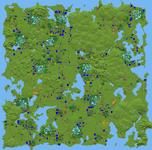
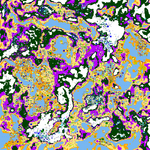
In the folder, this image kind of shows the controlled pathing I mentioned.
With the biome overlay and the pois, there is no straight path, but there are
plenty of opportunistic places to stop at along the way. Since it incurs time
it makes it feel like a bigger map to me. That is why I set each biome at a specific
range, that is what Rwgmixer did when it still had <terrain_generators>
<biome_generators> <biome_intensity_generators> <biome_spawn_rules>
and
<biome_spawn_rule name="water">
<terrain_generator range="-31,-1"/>
</biome_spawn_rule>
As alphas have progressed I have just had to do more of it externally, manually.
I have been re-editing terrain and xml, as I go to create a need for more aspects as I progress.
previewMap2i12.png
 
Have not used Rwgmixer going on 7 years. Manually setting my maps gives me full autonomy of the layout that I like, and include bodies of water but no holes in the terrain.

Yeh, I didn't get that you weren't using RWG until you said that. My hat is off to folks who like to hand-craft their maps.

I'm kind of in both worlds. I like RWG because it sets the file formats and defines what's possible. I think it is fun to work with; pretty solid and fast. But then I like the 3rd party tools and custom creators for how they riff on that baseline. Or should I say bass line?
 
The other thing is in King Gen, the road gradients, were a bit steep in places.

A bit steep? What I remember is it putting POIs beside each other at drastically different heights and then a road with a 60 degree grade ascending a cliff. I recall a fort POI at a low elevation and a house beside it 8 blocks higher. You could drop from the house's lawn down onto the fort's walls. I'm sure it would have been a nice tool if he'd gotten to keep working on it.

Nitrogen had a neat feature in that it tried assemble farms from POIs. That is, it would put a farm house, barn, and some fields near each other. It's annoyance was it liked to scatter a certain "gallows" everywhere. Oddly enough, I kind of miss that gallows and would love to turn it into a decoration today, but I've not gotten motivated to download everything, make a world, and capture it.
 
The highlighted parts, would benefit me the most. I would like to see the grayscale for that map,
I would like to look at it in Photoshop. I could sample the heights and the levels and make a disc
map import or a gradient scale image to test and show the render regulations, then test the auto
render to compare to mine as a visual tutorial. I have a few different POIs that I have worked on
but they are the final step.

Definitely want to use the water height system, and post map generation to fine tune it and keep
the pois. The water shape is intentional, I never looked at it as a hindrance, because the progression
of water removal was easily predictable in the forum. I systematically, switched from basic water, to snowballs,
to POIwater, then water towers, just before each change was done. If you do a godmode travel on the
map you will see my water serves two purposes, primarily aesthetic, but I learned the second from
observing DS and EldenRing techniques, it is a controlled pathing device. I downloaded Bdub's vehicle
pack for the dirtbikes and Ragsy's jetski to incorporate. I use my roads to get from region to region, or
altitude to altitude, not from city to city. I can see the cities, but getting to and from them is the fun part.
That is the other reason for the way I have done roads so far, when changing altitude, I intentionally
paint them to cut recesses in the terrain, I do still need to paint more natural depressions, there was a
bomb after all. Even the empty space or wilderness, that serves the purpose of larger quantity entity battle
zones with less chunk and region load.

The only road system I use for that is the dirt paths that lead to remote poi clusters. My quests range
from default distance to 8 kilometers to the next trader, all through hostile environment. The default
convenience for the game is approx 750 meters on average.

Did you ever use the Sarek import module in Rwgmixer, It was from A17.197 to 231 before it got
removed? Nitrogen basically replicated it. That is something that I only remember @Guppycur and
I toying with. But it taught me the hierarchy process of how the map was rendered, well that and
the text screen as the world gens.

If you can show me how to do multi edits, Then I can build and contour the terrain and pois, in steps

I will admit looking at the 2d representation from Nitrogen preview, and birds eye view I shared,
kind of take away why I spaced out my poi clusters. They break up the planer view, and are regulated
by the subtle micro changes in terrain heights, tiles have a tendency to stamp down the terrain
imperfections. But the KG color grouping chart you showed me might be the key I need to make a hybrid.
I do remember Guppycur sending me a link for Sarek, but I was just learning the vanilla editor basics at that time, learned Pilles POI editor, and then once Nitrogen came, that became my go to until it went out of support and Vanilla changes etc, also the need for more granular control got KingSlayer and I talking about a larger map making and editing all in one type of application, and KS wrote. His water system was over my head at that time, i had generally relied on global water height setting of 30 meters from 0, but we built in both the option of setting the global height before map gen as well as an option for a masking file, which lets you basically draw in where you want water on your height map. I don't use it myself and lost the notes for it, and King is a long gone ghost lol, I can look again for the notes I had for you though.

Post editing I use another application I can DM you in Discord. That involves 16-bit 3d editing on the dtm.png file using a modified version of this editor with my own Unity assets, some free, others I paid. 3d stamping and terraforming maps almost entirely replaced my 7d2d gaming time lol. Im at the point now where its really a lot of fun doing hybrid hand made maps with Teragon. Theres a feature Pille recently added that would be useful for help in incorporating some tiles into the style of maps you are making.

Use case for that would be things like checkpoints, crossroads, Trader waystations with truck stops and fast food etc. You would not necessarily need to root the map in a tile based layout for cities and towns, more you take advantage of easily added a handful of POIs to a single themed spot that has built in road tie ins.

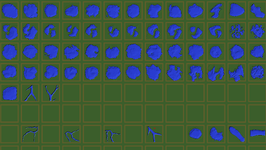
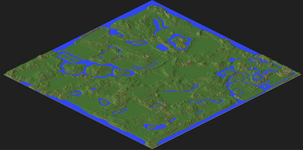
I was very much not a fan of the tile system as it stopped KG dead in its tracks 2 weeks after our last update lol, but once they were better optimized post V1, I sort of got on board, I do see both positives and negatives. Ive got a pictures here of a height map in the editor as well as a bunch of varied water tiles 150x150 that Im pulling around 20 swamp, river and lake tiles from, Also working on a moat style river i can place tiles inside.


2025-12-10_13h33_50.png


2025-12-05_15h17_08.png
 
Yeh, I didn't get that you weren't using RWG until you said that. My hat is off to folks who like to hand-craft their maps.

I'm kind of in both worlds. I like RWG because it sets the file formats and defines what's possible. I think it is fun to work with; pretty solid and fast. But then I like the 3rd party tools and custom creators for how they riff on that baseline. Or should I say bass line?
I like rwgmixer.xml logic, I used to edit it more than any other xml. But experimenting with different grayscale combinations,
then having an engine render and convert a 2d idea to a 3d render, and then getting to do a gameplay is personally satisfying
for me. Then I can create my own selfish slice. Alpha 17 series Rwg had that incorporated in it. I started by just painting, simple
brush strokes, to see how the engine reinterpreted them as in 3d. Then I kept going from there. The only real difference is the
poi cluster layout. I experiment with all 3 programs, using the same painting, I get to see the logic of how 7d gen engine has
changed over time, and get to see each programmers in interpretation. Each has advantages and disadvantages, so i use the
parts I prefer.
A bit steep? What I remember is it putting POIs beside each other at drastically different heights and then a road with a 60 degree grade ascending a cliff. I recall a fort POI at a low elevation and a house beside it 8 blocks higher. You could drop from the house's lawn down onto the fort's walls. I'm sure it would have been a nice tool if he'd gotten to keep working on it.

Nitrogen had a neat feature in that it tried assemble farms from POIs. That is, it would put a farm house, barn, and some fields near each other. It's annoyance was it liked to scatter a certain "gallows" everywhere. Oddly enough, I kind of miss that gallows and would love to turn it into a decoration today, but I've not gotten motivated to download everything, make a world, and capture it.
Yep, that is why I use Nitrogen primarily as a renderer vs the other 3. But @Krunch showing me the color coding
and offering to teach me how to do multiple layers without interfering with a prior layer peaked my interest in
getting the detail closer to what I want. I agree, that is why I don't add specific items to the poilist. But all of mine
so far have been single layer, with multiple layer I may be able to incorp the missing parts in a more manageable
fashion. Then having a jet ski and dirt bike will be my mode of travel.
 
3d stamping and terraforming maps almost entirely replaced my 7d2d gaming time lol
That has been me, It has become addictive. If the water system is still in the KG version
that you linked me I will try to figure it out and use it.
hybrid hand made maps with Teragon
That would be my next step.

The reason I would like for you to show me the multi-layering procedure is because It fits with
my process, I turn the individual pngs int layers in photoshop, and edit them turning different layers
on and off, to adjust changes. Also Irl I design and build, I like tactile and visual rendering. Using my
3d printer, creating moulds converting a digi design into something I can touch. So layering would
complete the circle for me.

Since the game has been optimized over time, I am tempted to create an atlas, to allow for an expanded
terrain texture, I would definitely like a swamp, bog, marsh, quicksand.

On discord are you on Guppys or your own?
 
That has been me, It has become addictive. If the water system is still in the KG version
that you linked me I will try to figure it out and use it.

That would be my next step.

The reason I would like for you to show me the multi-layering procedure is because It fits with
my process, I turn the individual pngs int layers in photoshop, and edit them turning different layers
on and off, to adjust changes. Also Irl I design and build, I like tactile and visual rendering. Using my
3d printer, creating moulds converting a digi design into something I can touch. So layering would
complete the circle for me.

Since the game has been optimized over time, I am tempted to create an atlas, to allow for an expanded
terrain texture, I would definitely like a swamp, bog, marsh, quicksand.

On discord are you on Guppys or your own?
We are already connected on Discord, looks like we talked in 2020 lol, was around when i got home from middle east and that period is a bit blurry but yeah messaged you there lol. You'll also need Teragon along with a custom preset 2FootedHermit gave me for making the stencils youll need to do the post gen work.
 
Back
Top