Siewca Chaosu
Refugee
- Version
- 2.5crash>2.5(bw7)crash
- Platform
- Windows
Hello, I am the Siewca Chaosu, and I will tell you about my problems, in the game 7 Days to Die.
I generated a very cool map when update 2.5 came out, managed to survive 4 days, and then my game crashed hard, which reset my character back to day 1.
After a few days of struggling with myself to return to the game, I decided to start twice in this world because, despite deleting my bike character, I still had my camp. Interestingly, I had most of the map discovered thanks to my previous character, but I had the impression that a few buildings and mailboxes did not detect my previous activity because the loot was not checked. (I couldn't find the bike, but it was a large area).
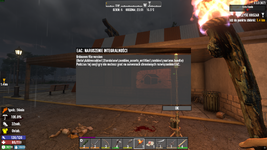
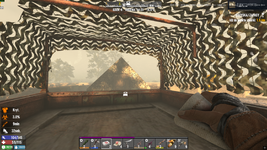
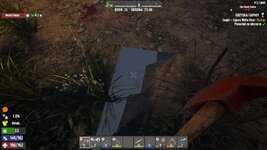
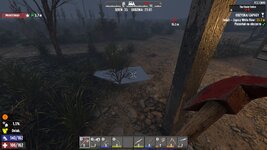
Apart from the recurring problem that the game loads “badly” and freezes, and zombies can get stuck somewhere between objects, I noticed that on one side of the base, the ground overlaps the floor slab a bit, as if it had sunk a little, but I dismissed it as a minor detail. However, after reaching the town about 800m higher, I noticed that some of the buildings did not load or disappeared (on first character without a crash, I think I got there and there were no problems with displaying objects).
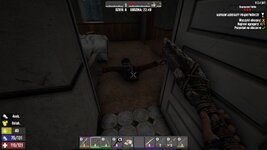
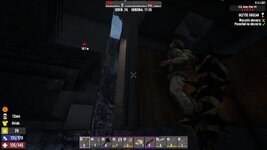
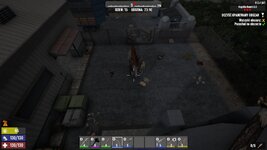
I'm posting a few replays, they may not be in the right order, so please forgive me.
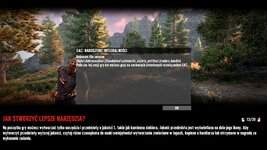
After my character collapsed, the game won't load, there's only a screen with hints.
Oh, and there is one more building, a bar with a lot of chickens downstairs. After activating the quest, you can hear a slight destruction sound. Unfortunately, the loot downstairs is destroyed, so to the person responsible for this, how can you edit something, save the change, and not check if it works afterwards?
That's probably all. You deserve to be scolded a little, but since I got the game key from you on Twitch, maybe I won't add anything else, except maybe “get it fixed!” Good luck
All this commotion took place on a Ryzen 9950X3D 64gb ddr5 5090 and Gen 5 SSD,of course in full HD without 3D.
Your content can not be submitted. This is likely because your content is spam-like or contains inappropriate elements. Please change your content or try again later. If you still have problems, please contact an administrator.
Of course, there's a problem with the link, I'll ask for the administrator's contact details right away because I couldn't find them somehow, maybe here [email protected], there is no specific information on the forum about who the administrator is, or maybe I haven't spent enough time trying to send this message yet.
I wonder how many people didn't report the error because they got some crappy message about spam. (not everyone uploads videos to YouTube, at least not me).
I posted a link to the video and logs at https://justpaste.it.
And finally, add more zombie variants (edit some faces or at least the colors of their clothes).
I generated a very cool map when update 2.5 came out, managed to survive 4 days, and then my game crashed hard, which reset my character back to day 1.
After a few days of struggling with myself to return to the game, I decided to start twice in this world because, despite deleting my bike character, I still had my camp. Interestingly, I had most of the map discovered thanks to my previous character, but I had the impression that a few buildings and mailboxes did not detect my previous activity because the loot was not checked. (I couldn't find the bike, but it was a large area).
Apart from the recurring problem that the game loads “badly” and freezes, and zombies can get stuck somewhere between objects, I noticed that on one side of the base, the ground overlaps the floor slab a bit, as if it had sunk a little, but I dismissed it as a minor detail. However, after reaching the town about 800m higher, I noticed that some of the buildings did not load or disappeared (on first character without a crash, I think I got there and there were no problems with displaying objects).
I'm posting a few replays, they may not be in the right order, so please forgive me.
After my character collapsed, the game won't load, there's only a screen with hints.
Oh, and there is one more building, a bar with a lot of chickens downstairs. After activating the quest, you can hear a slight destruction sound. Unfortunately, the loot downstairs is destroyed, so to the person responsible for this, how can you edit something, save the change, and not check if it works afterwards?
That's probably all. You deserve to be scolded a little, but since I got the game key from you on Twitch, maybe I won't add anything else, except maybe “get it fixed!” Good luck
All this commotion took place on a Ryzen 9950X3D 64gb ddr5 5090 and Gen 5 SSD,of course in full HD without 3D.
Your content can not be submitted. This is likely because your content is spam-like or contains inappropriate elements. Please change your content or try again later. If you still have problems, please contact an administrator.
Of course, there's a problem with the link, I'll ask for the administrator's contact details right away because I couldn't find them somehow, maybe here [email protected], there is no specific information on the forum about who the administrator is, or maybe I haven't spent enough time trying to send this message yet.
I wonder how many people didn't report the error because they got some crappy message about spam. (not everyone uploads videos to YouTube, at least not me).
I posted a link to the video and logs at https://justpaste.it.
And finally, add more zombie variants (edit some faces or at least the colors of their clothes).
- Reproduction Steps
- start game
- Link to Logs
- https://justpaste.it/hfmrg
- Link to Screenshot/Video
- https://www.youtube.com/watch?v=Y4d1yrcFG0c&list=PL07cwQVLypbIrXxzJnYWvwI-D9qOnAgm3
Last edited: