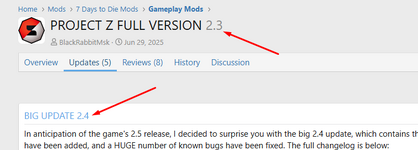
Start by choosing Post an update (right side of image below).
View attachment 37398
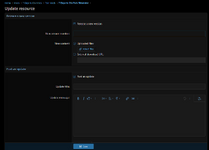
Next, click on Release a new version as shown below and add a new version number. This will automatically update the version number for your mod.
Note that I haven't tried changing the version without also including an update (the text about the version), but it should work for your situation where you did the update without choosing to a new version. You can either post a new update with the new version using the original version number (or something like 2.4.1 if you prefer) that just says it's to fix the version number, or you could try doing the new version without an update. I *assume* that it would just fix the version without update text so it would look like it was done with the new version originally, but I don't know that for sure. Doing the 2.4.1 or just another 2.4 version that just explains that it's just correcting the version number will work, though.
View attachment 37397