Chunk generation bug

oudeis

Refugee
Version
2.5 default
Platform
Windows
Hey there,

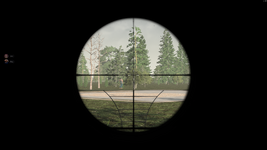
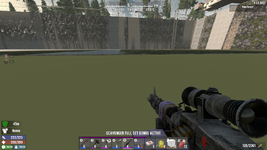
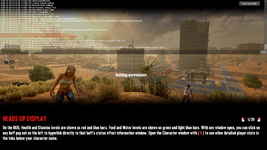
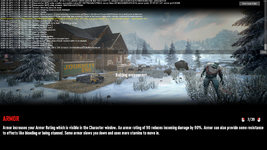
I'm reporting what I think is a chunk generation bug. I was going to a mission with a friend, and when we had to cross through a road for the first time, unlocking that part on the map, my friend falls all the way down the map (see 1st attached photo), and I was stopped by a invisible wall. The textures were bugged, and I couldn't see properly what was Rekt's store (see 2nd photo), then i try to walk in, and end up falling as well (see 3rd photo). We both closed the game, because we couln't move or even open the inventory, and now every time I try to open the world again, it shows an error (see 4th-5th photo), it just keeps working on the console, but never loads entirely for me to enter the world. I already tried waiting in case it loaded, but after 40 mins, nothing changed, it just kept going, and also tried verifying the local files but neither worked.

I would like to know how to fix this error, we were very advanced and it'd be sad to loose everything.

We'll be awaiting for a response, thanks in advanced!!

photo 11774714037938.png
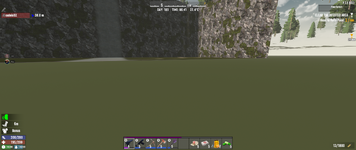
photo 21774714073254.png

photo 31774714083728.png

photo 4 and 5
1774714241830.png1774714258831.png
 
I found a bug in chunk decoration that would cause that error in rare cases and made a fix.

We will be testing the fix in our 3.0 builds, but as 2.6 was already sent out for approval, I am not sure what version the fix would be released in. Possibly another build of 2.6 after the current build is released as stable.

The save game loaded fine once the error was fixed.
 
Hi oudeis,

Thank you again for your report. As you can see from Faatal's post above, we have identified the issue and implemented a fix.

Since I cannot say when the fix will go live in a public build, we have an option to help get you back into the game, if you are willing.

IF you were not in the area where your base is located, we can try resetting the region to see if it allows you to return to the game. Resetting a region removes all builds, storage, and vehicles in that area and resets all the chunks within.

Most importantly, before doing ANY of the following steps, please make sure to back up the save file.

  1. If this is a dedicated server, please make sure that the server is fully shut down.
  2. Backup your save located at %appdata%\Roaming\7DaysToDie\Saves - In that folder you will find folders for Navezgane and randomly generated world names. Choose the folder that corresponds to your current game.
  3. Open the world folder, then the save folder. The easiest way to back up the save is to create a compressed file through Windows.
  4. After backing up the files, Inside the save folder, click on the folders until you see "Region". (\AppData\Roaming\7DaysToDie\Saves\<WorldName>\<SaveName>\Region
  5. Inside the Region folder, sort by "Date Modified" so that the newest is first
  6. You will see files like: r.-1.0.7rg, r.0.0.7rg, and r.1.-2.7rg. ( these are not exact and just examples)
  7. Start small and delete the one at the top of the list
  8. Start the game and see if that fixes the issue.
  9. If it works, you're good to go since the affected area has been reset.
  10. If it doesn't work, you can go back and delete the next one and try launching again. Keep repeating until you find the offending area.
Once you identify the region that requires the reset, you could always restore the save from your zip file and delete that ONE region in place of several.

I hope this is able to help you get back into the game.

Best,
Dollie
 
Hey there!

So, in the middle of the dispair I found what I thought would be the only solution: what I did was go through the console and try to teleport myself away from the chunk, still onto the loading screen, since you can enter commands while it's 'Building environment', then close the world and open it again, and it would finally load, but everywhere I'd go, the chunk would get damaged and I had to do the console thing all over again and so on, the world seemed completely broken, so it didn't work.

We just gave up, but apparently, after the 2.6 update, it's fixed! I updated the game yesterday hoping it would work, and everything was loading just fine, I took a quick trip and it seemed to be fixed since I didn't just keep falling into the world lol and the terrain was loading correctly.

Thanks for the attention! I will update in case there are any inconvenients.

Kind regards.
 
Ah, good deal. Glad to hear that it is fixed. We still have an incoming patch for this. I don't have an ETA yet of when that will drop. This will, hopefully, ensure it doesn't continue to happen or cause a new instance.

Best,
Dollie
 
Back
Top