Linux Abnormal data between player equipment on the server.

Blue mame

Refugee
Version
V2.2
Platform
Linux
**Game Version:** V2.2 (B3)

**Operating System:** Linux

**Did you restart the game?** Yes

**Are there any mods?** Yes

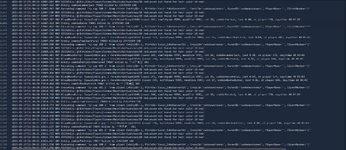
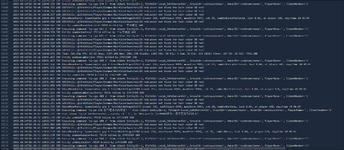
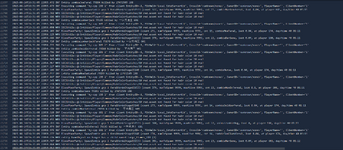
**Error Message:** @:Entities/Player/Common/HairColorSwatches/10 red.asset not found for hair color 10 red!

This is a new game save created after the V2.2 (B3) update. Clearly, this error is not caused by any mods. On the server, there is continuous refreshing, with the frequency exceeding more than two-thirds of the normal data display.
 
Reproduction Steps
*
Link to Logs
https://justpaste.it/i19np
Link to Screenshot/Video
https://justpaste.it/i19np

Attachments

  • 1.png
    1.png
    288 KB · Views: 17
  • 2.png
    2.png
    302.7 KB · Views: 16
  • 3.png
    3.png
    296.3 KB · Views: 16
@Blue mame Thank you for submitting your report! Are you playing on a server by any chance, either local or dedicated? If so, your player/a players data on the server might be corrupted. If you're just a player, contact the owner of the server. If you're the server owner, please reply ASAP so I can give the rest of the instructions. Cheers!
 
@Blue mame Thank you for submitting your report! Are you playing on a server by any chance, either local or dedicated? If so, your player/a players data on the server might be corrupted. If you're just a player, contact the owner of the server. If you're the server owner, please reply ASAP so I can give the rest of the instructions. Cheers!
I'm the server owner. These are all the logs that appeared on the server side.
 
I'm the server owner. These are all the logs that appeared on the server side.
Rad.

Try these for a fix:
  1. go to Players XML file and open in notepad
  2. find affected user's Playerid (there steam name should be associated with it)
  3. go to player folder and find the files matching the player id, there should be 3 (.map , .ttp and .ttp.bak
    create a subfolder and copy them in there as a redundancy.
  4. delete all 3 from the Player folder, and start up server to confirm the user can now connect. (their character should be reset)
  5. The player character was corrupted and cannot easily be restored. but there is another workaround.
  6. Now copy another similar player's files into the subfolder. rename them with the other corrupted players playerid in the same naming format "EOS_"playerid".map , .ttp and .ttp.bak
  7. load up the server and make sure they can connect with the new cloned character
  8. in console (f1) type "Giveself drinkJarGrandpasForgettingElixir" this will spawn a char stats reset drink that will allow the corrupted player to respect the cloned character more like his old lost character.
I'll also move this to Under Review so I can keep a closer eyeball on it.

Cheers!
Phunky
 
Last edited:
Back
Top