WarMongerian
Scavenger
Here is why I have not been able to play, what is this:

What is this file, and where can I find it, and why is it suddenly a problem?
What is this file, and where can I find it, and why is it suddenly a problem?


I don't know, how would I find that out?Are you using a software called Aura RGB/Armoury Crate?
My concern is that, just today, 7dtd has decided that it has a problem with the file in question, which has always been on my computer since before I installed 7dtd.Look at the programs/apps you have installed and look for Armoury Crate or any other ASUS software. You will want to uninstall the program (especially since you don’t seem to be using it intentionally).
From what I have read, Windows has cracked down on older and vulnerable driver signing requirements (the driver belongs to the software). I assume it doesn’t pass Window’s check anymore. You can look more into it online, but the two main solutions I found were either uninstalling the software and driver completely or updating it.My concern is that, just today, 7dtd has decided that it has a problem with the file in question, which has always been on my computer since before I installed 7dtd.

How would I do that?Why focus on windows? You need to update or remove the asus software that is causing problems.

I am on latest windows 11.How would I do that?
Would windows 11 solve my problem, or not?
What do you use for your 7dtd computer?
 support.microsoft.com
Oh, I did, and uninstalling Aura did nothing, and the other options didn't exist, so...Search for Asus apps that LittleNighMa mentioned. (Aura RGB/Armoury Crate)

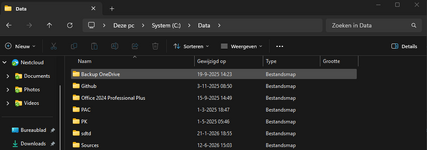
Make sure you run file explorer as an admin ... find the file make sure you can change the extention on the file and put .old on the end of the file ... You can thank others in the steam forums for this fixFind the file - make sure you can see it properly .. it should look like thismsio64.sysnotmsio64You have to be able to see the .sys to be able to make the file as belowmsio64.sys.oldOnce you have renamed it reboot your pc and it should be fixedIf it pings another violation then do the same
My eyes are crap, but how do I run file explorer again? If it is a solid white background, then I will have huge problems seeing anything, unless I can change the background color.hmmz. You did reboot after uninstalling right? If not do so. If yes:
There is the option to update it or disable memory integrity:
(https://learn.microsoft.com/en-us/answers/questions/2182994/how-do-i-fix-this-problem)
mslo64.sys is a driver file associated with the AURA RGB software from ASUS. This software is used to control RGB lighting on ASUS motherboards, GPUs, or peripherals. The driver plays a crucial role in enabling the software to communicate with the hardware components to manage the lighting effects.
One common issue we face with mslo64.sys is the "A driver cannot load on this device" error. This error typically occurs due to the Memory Integrity setting in Windows Security, which prevents certain drivers from loading. Here are some steps to resolve this issue:
- Update the Driver: Press Windows + I to open the Settings app. Navigate to Windows Update and select Advanced options. Under Additional options, click on Optional updates. Check if there is an update available for the mslo64.sys driver and install it.
- Disable Memory Integrity: Press Windows + S to open the Search menu and type Windows Security. Click on Device security and then on Core isolation details. Turn off the toggle for Memory integrity and restart your computer.
Post automatically merged:
another solution i found is in this thread:
Game crashing :: Battlefield™ 6 General Discussions
Im not able to get very far into playing BF6 before I get the following error: --------------------------- Security Violation --------------------------- EA AntiCheat has detected an incompatible driver. Please update or disable 'c:\windows\system32\drivers\msio64.sys' and restart. (119)...steamcommunity.com
Make sure you run file explorer as an admin ... find the file make sure you can change the extention on the file and put .old on the end of the file ... You can thank others in the steam forums for this fix
Find the file - make sure you can see it properly .. it should look like this
msio64.sys
not
msio64
You have to be able to see the .sys to be able to make the file as below
msio64.sys.old
Once you have renamed it reboot your pc and it should be fixed
If it pings another violation then do the same