Windows Opening Inventory Lags with Backpack bigger than 120 Slots

According to your log You have the 250 slot backpack mod loaded.
This was last updated july 2023 which was alpha 21.0 according to the modder post
on NEXUS.
So, Asking mod creator if it is compatible with V2.5 would be the first suggestion.

Second checking compatibility of the other 149 mods listed below would be the second suggestion
They are in alphabetical order to make it easier for you to figure it out, back track, and cross reference.

9 [MODS] Loaded Mod: 7_Stacks_50k (2.0)
14 [MODS] Loaded Mod: AdvancedSolarCrafting (1.1.0)
15 [MODS] Loaded Mod: AGF-V2-HUDPlus-1Main (5.3.0)
16 [MODS] Loaded Mod: AGF-V2-HUDPlus-EnhancedPatch-ClientSideNoEAC (2.0.0)
17 [MODS] Loaded Mod: AGF-V2-HUDPlus-HealthBars (4.0.0)
19 [MODS] Loaded Mod: AmmoLessResources (1.0)
20 [MODS] Loaded Mod: AmmoNoBlockDamage (1.0)
21 [MODS] Loaded Mod: AutomaticTacticalAR (1.0)
22 [MODS] Loaded Mod: AutoTurretRegularRoboticAmmo (1.0)
23 [MODS] Loaded Mod: Beefy_Bleed_Stacks_by_GR (1.0)
27 [MODS] Loaded Mod: BetterBirdnestLootHigh (2.1)
28 [MODS] Loaded Mod: BetterChuckBoulder (1.0)
24 [MODS] Loaded Mod: Betterloot (1.1)
25 [MODS] Loaded Mod: BetterProjectiles (1.0)
26 [MODS] Loaded Mod: BetterZombieCops (1.0)
29 [MODS] Loaded Mod: BigGenerator (1.0)
142 [MODS] Loaded Mod: BlackWolfaccuracy (1.0)
30 [MODS] Loaded Mod: Blocks-HigherStability (1.0)
31 [MODS] Loaded Mod: bsg_rings (1.0)
33 [MODS] Loaded Mod: CandleOffset (1.0.0)
34 [MODS] Loaded Mod: ChainlinkRepairScrap (1.0)
35 [MODS] Loaded Mod: ChugiModsSkillPointsTicket (1.1.0)
36 [MODS] Loaded Mod: ClaymoreStickyArrowsBolts (1.0.0)
37 [MODS] Loaded Mod: CPPS (5.00)
38 [MODS] Loaded Mod: CPPSMaxLevel (1.0)
32 [MODS] Loaded Mod: Craftable50kBundles (1.0)
40 [MODS] Loaded Mod: CraftableBeds (1.0.0)
41 [MODS] Loaded Mod: CraftableMilitaryBarrier (1.0.0)
42 [MODS] Loaded Mod: CraftableRepairableTents (1.0.0)
39 [MODS] Loaded Mod: CraftableSignsFlags (1.0)
43 [MODS] Loaded Mod: CraftableWoodenPlatforms (1.0)
44 [MODS] Loaded Mod: CraftOriginalHelper (1.0)
45 [MODS] Loaded Mod: CustomFpvFov (1.0.5)
46 [MODS] Loaded Mod: CustomShapes (1.0.0)
47 [MODS] Loaded Mod: DewCollectorMoreWater (1.0)
48 [MODS] Loaded Mod: Dewtas18SlotToolbelt (1.1)
49 [MODS] Loaded Mod: Donovan_LongerLootbags (1.0)
50 [MODS] Loaded Mod: doubledrummag (1.5)
52 [MODS] Loaded Mod: DurielMoreEggs (1.1.1)
132 [MODS] Loaded Mod: EfectivelyUnlimitedStamina (1.0.0)
53 [MODS] Loaded Mod: EpicSpiresQualityModSlotBoost (1.0)
62 [MODS] Loaded Mod: Extended_GameSettings (1.0.0)
111 [MODS] Loaded Mod: FasterPaintbrushInfinitePaint (1.0)
54 [MODS] Loaded Mod: FasterRepairTools (1.0)
143 [MODS] Loaded Mod: FixedvanillaIronsights (1.0)
56 [MODS] Loaded Mod: FixfortheCompoundBow (1.0)
55 [MODS] Loaded Mod: FixLightBulb (1.0.0)
57 [MODS] Loaded Mod: FlatBonusOnLootChests (1.0.0)
59 [MODS] Loaded Mod: FPS_Lighted_Junk_Turret (21.1.0.0)
60 [MODS] Loaded Mod: FunSpotlights (1.0.0)
61 [MODS] Loaded Mod: FuseBox (1.0)
63 [MODS] Loaded Mod: GW71_FoundationBlock (0.7.1)
64 [MODS] Loaded Mod: Harrys_Pickup_Stuff (1.0)
65 [MODS] Loaded Mod: HayGivesMore (1.0)
66 [MODS] Loaded Mod: InFatesHands_Legendary_Parts (1.0)
151 [MODS] Loaded Mod: InstantTake (1.0)
67 [MODS] Loaded Mod: IZY_ammoicon (1.0)
68 [MODS] Loaded Mod: JC_UnbarricadedDoors (1.0)
69 [MODS] Loaded Mod: JerseyetrsEZ-Z-Range (1.0)
70 [MODS] Loaded Mod: Lams250SlotBackpack (1.0)
75 [MODS] Loaded Mod: LamsLockpickingmod (1.0)
71 [MODS] Loaded Mod: LamsModulePowerbonus (1.0)
72 [MODS] Loaded Mod: Lamsmovementspeedmod (1.0)
73 [MODS] Loaded Mod: Lamspowertoolexpert (1.0)
76 [MODS] Loaded Mod: LanternOffset (1.0)
77 [MODS] Loaded Mod: LazMansStorageContainerMod (1.0)
148 [MODS] Loaded Mod: LessAnnoyingMetalDestroy (1.0.0)
79 [MODS] Loaded Mod: LessCarDamage (6.9)
80 [MODS] Loaded Mod: LittleRedSonja_PumbledWaterSolutions (1.3.0)
82 [MODS] Loaded Mod: lootableEverything (1.4)
81 [MODS] Loaded Mod: LootableVendingMachinesMod (3.1.0)
140 [MODS] Loaded Mod: LOTFs_Better_Bullet_Range (1.5)
11 [MODS] Loaded Mod: Magedad_Improved_RWG (2.0)
83 [MODS] Loaded Mod: MagnumNoPenetrate (1.0)
58 [MODS] Loaded Mod: MaximumJunkTurrets (1.0)
84 [MODS] Loaded Mod: MaximusLootableMilitarypalletsMod (1.0)
51 [MODS] Loaded Mod: MaxWireLength (1.0)
85 [MODS] Loaded Mod: Miners_Delight (2.2.1)
87 [MODS] Loaded Mod: MoreBulletTipCasingMod (1.0)
88 [MODS] Loaded Mod: MoreBundles (1.0)
89 [MODS] Loaded Mod: MoreCloth (1.1)
86 [MODS] Loaded Mod: MoreSkillPointsPerLevel (1.2)
145 [MODS] Loaded Mod: NaireemsFasterScrapping (1.0)
93 [MODS] Loaded Mod: NoArmorBonus (1.0)
97 [MODS] Loaded Mod: NoblesKatana (2.1.0)
13 [MODS] Loaded Mod: NoDemoDemolitionists (1.0)
149 [MODS] Loaded Mod: NoDismemberment (1.0)
94 [MODS] Loaded Mod: NoEyeAdaptation (1.0.0)
147 [MODS] Loaded Mod: NoFallDebris (1.0)
144 [MODS] Loaded Mod: NoHealthStaminaBonus (1.0)
95 [MODS] Loaded Mod: Nomad64SuperSuperchargersMod (1.0)
90 [MODS] Loaded Mod: NoParticleCar (1.0.0)
146 [MODS] Loaded Mod: NoRecoil (1.0)
91 [MODS] Loaded Mod: NoRoadDecals (1.0)
92 [MODS] Loaded Mod: NoStaminaDrainonADS (1.0)
96 [MODS] Loaded Mod: NoSurvivalGearLostOnDeath (1.0)
139 [MODS] Loaded Mod: NoSwingSound (21.2)
98 [MODS] Loaded Mod: PGzAllMapSizeGenerationV1 (1.0.0.0)
2 [MODS] Loaded Mod: PickLockedDoors (1.1.0)
78 [MODS] Loaded Mod: PopnPillsCrateSound (1.0.0.0)
12 [MODS] Loaded Mod: RateOfFireHandguns (1.0)
99 [MODS] Loaded Mod: RealisticSilencers (1.0)
100 [MODS] Loaded Mod: RELXIX_Items_NVTweak (1.2.0)
101 [MODS] Loaded Mod: Remove_Sound_Heat (1.0)
102 [MODS] Loaded Mod: RepairBulletproofGlass (1.0)
150 [MODS] Loaded Mod: RivoSurvivalNotes (1.0.0.0)
103 [MODS] Loaded Mod: RobelotoLoudSoundsLowered (20.0)
104 [MODS] Loaded Mod: RW_AAS (1.0.0)
10 [MODS] Loaded Mod: RWG-Bias-Check (1.1)
105 [MODS] Loaded Mod: Sams_Deco_Stuff (1.0.1)
118 [MODS] Loaded Mod: Sams_Working_Stuff_NoSinks (1.0.1)
121 [MODS] Loaded Mod: SdtdLiveReloader (2.0)
106 [MODS] Loaded Mod: SilencedAutoTurrets (1.0)
107 [MODS] Loaded Mod: SilentCrafting (21.1)
108 [MODS] Loaded Mod: SM_FasterSmelting (3.0)
109 [MODS] Loaded Mod: SM_InstantCrafting (6.3)
110 [MODS] Loaded Mod: SM_NoLootTimers (1.2)
3 [MODS] Loaded Mod: SpawnSleepersInRange (2.0.0.3)
74 [MODS] Loaded Mod: Speedyharvest (1.0)
112 [MODS] Loaded Mod: StableLantern (1.0.0)
113 [MODS] Loaded Mod: SteelAxeToIron (1.0)
114 [MODS] Loaded Mod: SteelBaseballBat (1.0)
115 [MODS] Loaded Mod: SteelSledgeHammerToIron (1.0)
116 [MODS] Loaded Mod: SuperImpactDriver (1.0)
117 [MODS] Loaded Mod: SuperRepairHammer (1.0)
18 [MODS] Loaded Mod: SupplyDropBeacon (2.0)
1 [MODS] Loaded Mod: TFP_Harmony (1.1.0.4)
5 [MODS] Loaded Mod: TheMeanOnes_ZombiesCantDig (5.0)
119 [MODS] Loaded Mod: TheMeanOnesHedgeHogSpikes (1.0.0)
120 [MODS] Loaded Mod: TheMeanOnesMoreHoney (1.0)
6 [MODS] Loaded Mod: TheMeanOnesZombiesCantCrouch (4.0)
4 [MODS] Loaded Mod: TMO-Core (4.0)
8 [MODS] Loaded Mod: TMO-QuickBuild (1.0)
7 [MODS] Loaded Mod: TMO-SmartWorkstations (1.0)
122 [MODS] Loaded Mod: TraderFreeMod (1.0.0)
123 [MODS] Loaded Mod: UnbreakableSteel (1.0)
124 [MODS] Loaded Mod: Valmars_Buffed_Supply_Crate_Drops_V1 (1.1.1.0)
125 [MODS] Loaded Mod: VaybensBanditWalls (2.0)
126 [MODS] Loaded Mod: VaybensCraftablesCollection (2.0)
127 [MODS] Loaded Mod: VehicleSpeedIncrease (1.0.0)
128 [MODS] Loaded Mod: Vladscircularbarbedwire (1.0)
129 [MODS] Loaded Mod: WMMWorkstationMaterialTimer (2.5.23.1)
130 [MODS] Loaded Mod: WoodMetalSpikesUnbreakable (1.0.0)
131 [MODS] Loaded Mod: ZBetterWasteland (1.0)
133 [MODS] Loaded Mod: zNoAnimalHostile (1.0)
135 [MODS] Loaded Mod: ZombieNoDeathAnim (1.0)
134 [MODS] Loaded Mod: ZombieNotDestroy (1.0)
136 [MODS] Loaded Mod: ZombieSilentDeathV2 (1.0)
137 [MODS] Loaded Mod: ZombieWeight (1.0)
138 [MODS] Loaded Mod: ZWasteland (1.0)
141 [MODS] Loaded Mod: zzzAGF-V2-HUDPlus-Compatibilities (3.0.0)

If you want to use the 420 slot, third suggestion is to remove The 250 slot
mod first.

Last suggestion is to remove any of these if any that the modder does not post
is fully compatible with V2.5 . If you have verified their intermod compatibility,
and server client side compatibility which ever you play, and they are all verified.
Then the first thing may be for you to remove the 250 slot mod and the associated
localization. Then load a game afterward, and check you player log to make sure that
you have no reference to it. Once all of that is done, then you can install the 420 slot
mod and test to see if there is any lag again.

Good Luck
 
I tried it without any mods, only the backpack mod and yet it lags. And yes i know many mods are "outdated", but i update them myself.
 
I was only able to go by what you posted, and the log.
When you ran the game without the mods, did you check your player log
to make sure nothing else was still being registered in the background, that
may cause a conflict.

The reason I ask is as a parallel Jawoodle used the mod that has the Rv with extended
storage. It is not completely the same instance, but it had no timing effect on his play.

If you post your log when you have, no mods installed. Then it can be checked to make sure
that no other mods are being registered, at that time.

To more clearly check where there may be a conflict, you would need to post a player log with
only, the 420 mod installed, and a base game player log to compare.

That would be the clearest way to troubleshoot it.
 
I was only able to go by what you posted, and the log.
When you ran the game without the mods, did you check your player log
to make sure nothing else was still being registered in the background, that
may cause a conflict.

The reason I ask is as a parallel Jawoodle used the mod that has the Rv with extended
storage. It is not completely the same instance, but it had no timing effect on his play.

If you post your log when you have, no mods installed. Then it can be checked to make sure
that no other mods are being registered, at that time.

To more clearly check where there may be a conflict, you would need to post a player log with
only, the 420 mod installed, and a base game player log to compare.

That would be the clearest way to troubleshoot it.
Vanilla Log: Pastebin

Log only with Lams 420 Slot Backpack: Pastebin
 
I just checked them. The startup and ending for both was clean. They both
followed the same process line.

It looks like you started the 420 first but did not enter the game, shut down
game, then 3 minutes later removed the mods folder for the Vanilla start. Is that correct?

When you started the 420 I was hoping you would spawn in and use the backpack
interface to see if it would show something.

If you do the same thing now with the 420 startup, because it does not have any loading
issues, then if you use the backpack interface just until it does the lag and clean exit at that point,
that will possibly point to any difference in the process.

What I mean your vanilla is clean, although I would put back the mod folder, but only with
the 0_TFP_Harmony sub folder in it. Only because it is a default part of the game.
Plus the 420 mod alone has that same clean startup, then using the mod interface and comparing
it to your 420 you just posted, should show if there is a conflict.
 
For reference, when you open your inventory, the game does a garbage cleanup process. Depending on your system, this can be noticeable as a small freeze to the game that is usually under a second. The moved the cleanup process to when you open inventory or certain other UI windows because it used to be just a timed process that could take a really long time because it wasn't being done as often. Also, if you have the game and/or saves on HDD instead of SSD, that can cause the short freeze to be far more noticeable.

Now, if it's entirely related to the backpack mod, I'd recommend trying a backpack mod from a different mod author and see if it is better. It could just be a poorly done mod. I don't know the mod author of that and haven't tried it, so can't say if that's the case here, but it is still a good test.

I have used a larger backpack mod from Khaine in the past while using the Vehicle Madness mod since it adds a lot of extra resources to loot and it was never a problem. Unless something changed in 2.x, it should still work just fine without any additional delay versus an unmodded game.
 
Thank you fou your reply! The Game is on a M2 SSD. I tried every Backpack mod that adds more than 120 Slots and everyone makes the opening of the inventory laggy/stuck/freeze. Before version 2.2 it was not laggy with such mod.
 
Hi Naireem,

Thank you for taking the time to report this.

Based on what you described, this behavior appears to be related to a third-party mod rather than an issue with the base game. At this time, we are not able to reproduce the issue in an unmodified environment.

If you're able to, we recommend temporarily disabling any installed ods and testing again to confirm whether the issue persists. Please let us know, and we'll be happy to investigate further.

Best Regards,
Dollie
 
Unity Query
Performance Impact: This is not typically a "crash-level" out-of-memory error,
but rather a performance warning. Your game is likely experiencing performance
stutters (lower frame rates) because it is falling back to a slower memory
allocation method.

Straight talk
UI information overload causing cpu bottleneck, when the backpack UI is opened.

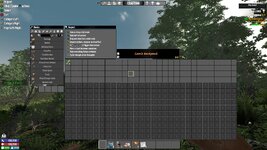
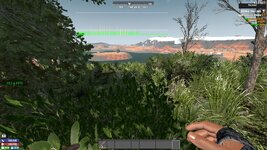
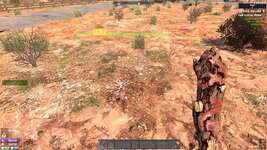
Screenshots
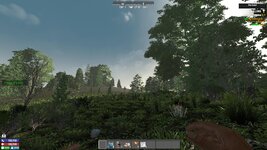
V2.5_2026-02-16_12-14-30.jpgV2.5_2026-02-16_12-14-35.jpgV2.5_2026-02-16_12-32-22.jpgV2.5_2026-02-16_12-37-48.jpg

My personal
It is not the game. The game is a single thread, This particular ui is overloading
that single thread when opened. When it peaks for avery addition to the inventory.
The last image was me collecting from a wilderness loot container. Regular gameplay
stayed at around 150fps. only opening the backpack dropped it to 50. So if your
average fps was say 120 it would drop to 20 fps. Lower and it would stall and stutter.

This was on my test pc, only ryzen 5 3500, 16g ram, gtx 1080 founders, on ssd.

My setting
2026-02-16T12:24:23 8.721 INF ApplyAllOptions current screen 1920 x 1080,
120hz, window 1920 x 1080, mode FullScreenWindow
50 FPS not so noticeable


Your setting
2026-02-16T12:15:15 1.165 INF ApplyAllOptions current screen 1920 x 1080,
59.9400599400599hz, window 1920 x 1080, mode FullScreenWindow
Definitely Noticable


You may be able to partially compensate a little by increasing your Refresh rate.
Your hardware is capable. And your card is rated for 1440p.


Google query for the difference:
Running an AMD Radeon RX 6800 XT at 1080p instead of 1440p will generally
increase FPS (higher performance) but may cause lower GPU utilization and potential,
minor, intermittent stuttering (lower stability) if the CPU bottlenecks the card. The
6800 XT is heavily overkill for 1080p, which can lead to inefficient power usage and
lower overall performance optimization in some scenarios.

So if you want to use it: You may have to adjust your settings, to match your card's
potential, and spread the load. Right now it is bottle necking your CPU, at an already
low refresh rate.


Conclusion I agree it is not a game bug, just over utilization needing personal hard and
soft config adjustments to compensate for the mod.

I hope this helps you get it up and running as you need.
 
Back
Top