Unity Query
Performance Impact: This is not typically a "crash-level" out-of-memory error,
but rather a performance warning. Your game is likely experiencing performance
stutters (lower frame rates) because it is falling back to a slower memory
allocation method.
Straight talk
UI information overload causing cpu bottleneck, when the backpack UI is opened.
Screenshots
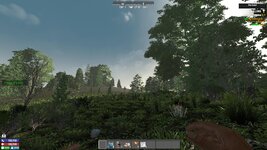
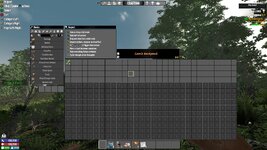
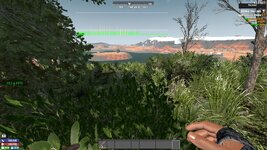
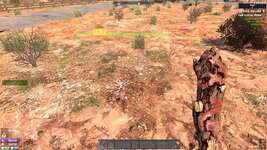
My personal
It is not the game. The game is a single thread, This particular ui is overloading
that single thread when opened. When it peaks for avery addition to the inventory.
The last image was me collecting from a wilderness loot container. Regular gameplay
stayed at around 150fps. only opening the backpack dropped it to 50. So if your
average fps was say 120 it would drop to 20 fps. Lower and it would stall and stutter.
This was on my test pc, only ryzen 5 3500, 16g ram, gtx 1080 founders, on ssd.
My setting
2026-02-16T12:24:23 8.721 INF ApplyAllOptions current screen
1920 x 1080,
120hz, window 1920 x 1080, mode FullScreenWindow
50 FPS not so noticeable
Your setting
2026-02-16T12:15:15 1.165 INF ApplyAllOptions current screen
1920 x 1080,
59.9400599400599hz, window 1920 x 1080, mode FullScreenWindow
Definitely Noticable
You may be able to partially compensate a little by increasing your Refresh rate.
Your hardware is capable. And your card is rated for 1440p.
Google query for the difference:
Running an AMD Radeon RX 6800 XT at 1080p instead of 1440p will generally
increase FPS (higher performance) but may cause lower GPU utilization and potential,
minor, intermittent stuttering (lower stability) if the CPU bottlenecks the card. The
6800 XT is heavily overkill for 1080p, which can lead to inefficient power usage and
lower overall performance optimization in some scenarios.
So if you want to use it: You may have to adjust your settings, to match your card's
potential, and spread the load. Right now it is bottle necking your CPU, at an already
low refresh rate.
Conclusion I agree it is not a game bug, just over utilization needing personal hard and
soft config adjustments to compensate for the mod.
I hope this helps you get it up and running as you need.


