Windows Cant continue game

still

Refugee
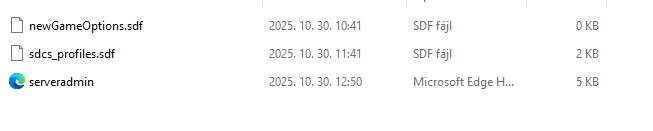
I deleted the game like 2 month ago due storage issues , and now I decided to continue. But after I reinstalled I cant continue my game. I cant even go to the "continue game tab". Please help me. I even verifyed my game files on steam, but still nothing. I dont want to start all over again.

1761819202050.jpeg
 
Looks like you don't have any saved games anymore, which is what occurs when you uninstall games and they remove them from your computer.
 
Same problem
And same answer. If you uninstall the game and remove all data from the game, you won't have a save to load if you later reinstall the game. You can easily check to see if the saves are there. Besides whether or not they show up when managing saves from the main menu (continue being disabled means none are found), you can press F1 while on the main menu and click the Log button at the top right. You can then press the Up button on the file window that shows your logs and you'll see folders like Saves and GeneratedWorlds. Open them and see if you have anything in them. If not, then they were deleted when you uninstalled or when you used the option from the launcher to clean/remove things from the game. In that case, your only option is to start a new game.

As a side note, if you changed your User Data Folder, the game may not recognize where you had your saves originally. A good reason why this might happen if you didn't do it yourself is if you use the Vortex mod launcher, which changes your User Data Folder from the default location to a different location without your permission and without telling you. By reinstalling the game, you will be using the default location instead of where that launcher changed it to. You could use that launcher again, if you had used it previously, and it should change the User Data Folder again and then your saves may appear. Or, you can just do a search to find out what location that launcher uses for the User Data Folder and just move everything from there to the default folder (%appdata%\7DaysToDie\).
 
@NoMan You are confused? If you go to the Start menu in Windows and type %appdata%, that will take you automatically to the Roaming folder in your AppData folder for the currently logged in user, so you don't have to open Roaming afterwards. If you manually go through the folders to get to AppData, you'll then have to open the Roaming folder.
 
Back
Top